



Key takeaways
- How to choose a poker format around the goal and available time for each session;
- Which payment options and PartyDollars rules affect how different games can be entered;
- How Run It Twice and All-In Cashout can change the way certain all-in situations are settled;
- How MyGame supports post-session review and which outside tools PartyPoker restricts during play;
- How weekly Cashback and access across desktop and mobile fit into a regular playing routine.
Sign up and start shaping a poker routine that actually fits your goals and your schedule.
Define the Goal Before Opening Any Table
Choosing a format can start with the purpose of the session rather than whichever table happens to be available first. For online poker at PartyPoker, goals such as bankroll management, practice, higher hand volume or tournament competition naturally point toward different ways to play.
Bankroll Growth, Practice, Volume or Competition
Picking a game doesn’t have to start with a specific stake or table; it can start with a simpler question about what the session is actually for. Cash games suit a goal built around bankroll growth, since there’s no fixed structure forcing a decision before it’s ready. Fastforward fits a practice-focused session well, given how many hands it pushes through in a short window. Scheduled tournaments serve a competitive goal directly, pitting a player against a full field rather than a handful of opponents. MyGame, meanwhile, exists specifically for a player working on their own strategy, turning already-played hands into material for improvement rather than something only reviewed at the felt.

Match Available Time to a Poker Format
Available time can narrow the choice of format just as much as the goal of the session itself. A flexible half hour, a fast sequence of hands and a scheduled tournament all demand different levels of commitment.
Cash, Fastforward, SPINS and Scheduled Events
PartyPoker cash games allow a free entry and exit at almost any point, which suits an open-ended block of time better than a fixed schedule does. Fastforward compresses that same cash game experience into a much faster stream of hands, useful when the window is shorter but the appetite for action isn’t. SPINS take that further still, wrapping a complete tournament into just a few minutes. Players who prefer shorter sessions from a mobile device can use the PartyPoker app to access available games and continue playing through a smartphone-friendly interface. Scheduled events sit at the other end, requiring a player to commit to a specific start time and play through to a finish that isn’t set in advance.
Choose How You Want to Fund Entries
A cash balance is not the only available way to cover a poker buy-in. PartyDollars provide a separate virtual currency that can be used in full or in part across several eligible game types.
Cash Balance, PartyDollars and Flexible Buy-Ins
Funding an entry isn’t limited to a straight cash balance. PartyDollars work as a separate, flexible currency that can go toward a wide range of games, including:
- Multi-Table Tournaments and satellites;
- SPINS;
- Sit & Go events;
- cash games and Fastforward tables.
There are some limits on where PartyDollars can be spent, so it’s worth checking the specific restrictions tied to a given balance before assuming it covers every game in the lobby.
Decide How Much Variance You Will Accept
Certain all-in situations give players an additional choice over how the outcome is settled. These tools do not change the cards already dealt, but they can change how much of the final result depends on the remaining board.
Run It Twice and All-In Cashout Choices
Not every all-in has to run the same way. In select cash game situations, Run It Twice lets players deal the remaining cards twice, splitting the pot across two separate boards instead of settling everything on one. All-In Cashout works differently, locking in a payout based on the current odds of winning rather than waiting to see how the hand actually finishes. Both options give a player some say over how much variance they’re willing to accept in a single hand, though availability for either feature can vary depending on the market being played in.
Turn Played Hands Into a Training Routine
A session doesn’t stop teaching a player something the moment the last hand is folded, provided there’s a way to look back at what actually happened.
MyGame Ratings, Missions and Interactive Coaching
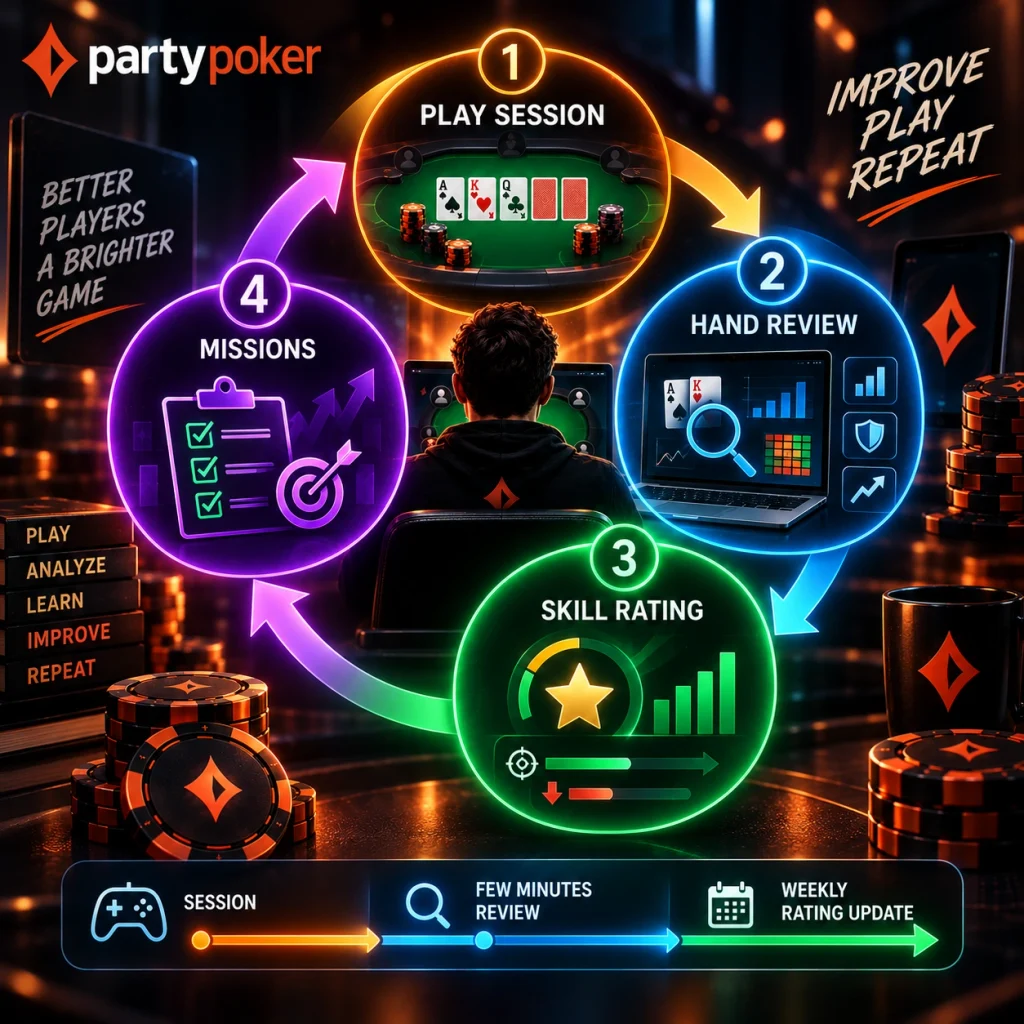
PartyPoker rates recently played hands through MyGame, breaking performance down into categories like key stats, blind defence, and post-flop aggression, then rolling that into an overall skill rating. Weak spots surfaced by that rating come with tailored Missions, nudging a player toward the specific area that needs the most work rather than offering generic advice. Over time, that turns table sessions into something closer to an ongoing training routine than a series of disconnected sit-downs.
Make Weekly Volume Work Beyond Table Results
Regular real-money activity can generate value separately from the result of an individual hand or tournament. PartyPoker’s Cashback programme turns eligible rake into weekly points, giving volume its own reward structure once the player has opted in.
Cashback Points, Targets and Weekly Payments
Every dollar contributed to cash game rake or paid in tournament fees earns PartyPoker online Cashback points, and once a weekly points target is reached, cashback gets credited straight to the account. That reward runs independently of table results, so a losing week at the felt can still end with something back for the volume played. Payments land on a weekly cycle, giving a predictable rhythm to a reward that doesn’t depend on any single session going well.
Keep Decisions Free From Outside Assistance
Fair play at the tables rests on a simple principle: decisions should come from the player actually sitting at the table, not from software running in the background. Third-party tracking programs and HUDs that pull opponent statistics from hand histories aren’t permitted, and hand histories themselves stay inside the client rather than being available to export into outside tools. That approach keeps the read on an opponent based on what’s visible in the current session, rather than a database built up over months of play.
Carry the Same Poker Plan Across Devices
None of this changes depending on which device a session runs on. A desktop session suits a longer sit-down with more tables open at once, while a phone or tablet fits naturally into a shorter, more flexible window between other things. Switching between them doesn’t mean relearning anything, since the same account, the same lobby logic, and the same tools carry over regardless of which screen a player happens to be using that day.